Minting Shills
This page covers the collection-owner-configured program for mints. For the shared overview and marketplace referral rules, see Shills and Fees.
These settings apply only to minting. Collections cannot use them to disable marketplace shills or opt out of marketplace royalty sharing.
Scatter supports an on-chain shill program (aka affiliate minting) in which you can offer up to 50% of mint proceeds to shills.
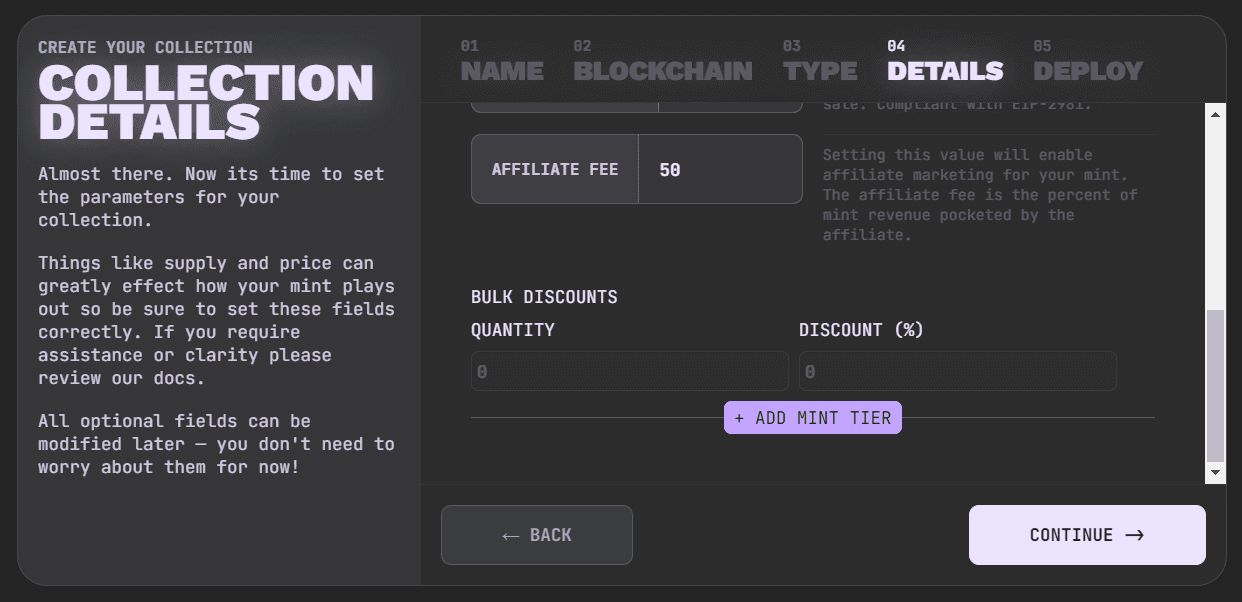
To enable your collection's minting shill program, set the shill fee % higher than 0 on the Mint step when creating your collection, or enable it later in Collection Management. You can also change the shill fee and discount there after deployment.
Who Can Earn
Open Shills in Collection Management. Under Shill Program, choose who can earn minting rewards through their site-wide shill code:
- Public Shills on: Users with shill profiles can earn the configured percentage when someone mints using their code.
- Public Shills off: Use Exclusive Shills to limit eligibility to selected users. Enter wallet addresses in the Addresses field. A user is eligible if at least one wallet linked to their Scatter account is in that list.
Select Save Changes to save the Public Shills setting and Exclusive Shills addresses. You still need a positive minting shill fee to enable rewards.
Users manage their site-wide code and payout wallet in Manage Account.

Set the Minting Shill Fee and Discount
The same tab has a Contract Settings section. Each change here is written to the collection contract and requires a separate wallet transaction. These controls use their own Write buttons; the enrollment section's Save Changes button does not submit them.
- Under Set Shill Fee, enter the mint revenue percentage in Shill Fee (%), then select Write and confirm the wallet transaction. Any value above 0 enables minting shill rewards for the collection. The maximum is 50%.
- Under Set Shill Discount, enter the collector's discount in Shill Discount (%), then select its Write button and confirm the separate wallet transaction. The maximum discount is 50%.
For example, enter 5 in the fee field for a 5% fee. Review each transaction and wait for confirmation before relying on the new setting.
Fee and Discount Examples
For those curious, if you set your shill fee % to 50%, the shill gets 50% of the mint proceeds. On most chains with Scatter's default 5% platform fee, you receive 45% and Scatter receives 5%; on chains with a different platform fee, you receive the remainder after the shill fee and that chain-specific Scatter fee.
You can set a shill discount % as well. It's a discount applied to each NFT minted with a shill code. A 50% discount reduces the base mint price by half. The shill still receives the configured shill fee when a discount applies.
If you enable the minting shill program for your collection, we recommend setting your % as high as you are comfortable setting it.
Having a minting shill program is not necessary for a successful launch, but it can help sustain long term passive marketing to keep your mints steady until you reach mint out.
Direct Contract Writes
If you use the collection's blockchain explorer instead of Scatter's percentage
fields, setAffiliateFee uses basis points: 500 = 5%, 1000 = 10%, and
5000 = 50%, the maximum. These are contract values; the Scatter UI takes the
percentage itself.
Sharing Shill Links
Clicked NFT minting and marketplace shill links both stay active for 30 days. A link to a collection's mint page can also attribute eligible activity across Scatter; see Site-wide Referrals and Shill Link Duration. If you share a shill link, follow the disclosure guidance.