Self-Minting
As the collection owner, you are able to make any lists you want. One list that is possible is a mint list which only has your wallet address on it. This should be the same address that currently owns the contract / that you are connected to. Create a mint list that has only your address on it. Do this by editing your collection on Scatter, opening Mint Lists, and selecting New List.
Name the list something obvious to you (people only see lists they are eligible for so you will be the only one to see this list) such as "Deployer" as a list name. Enter your wallet address, and only your wallet address. Yes, only your wallet address! Set mint price to 0. Then if you want to make sure you don't mint more than you intend to you can set a wallet or list limit, otherwise leave them blank if you don't want to put up some guard rails.
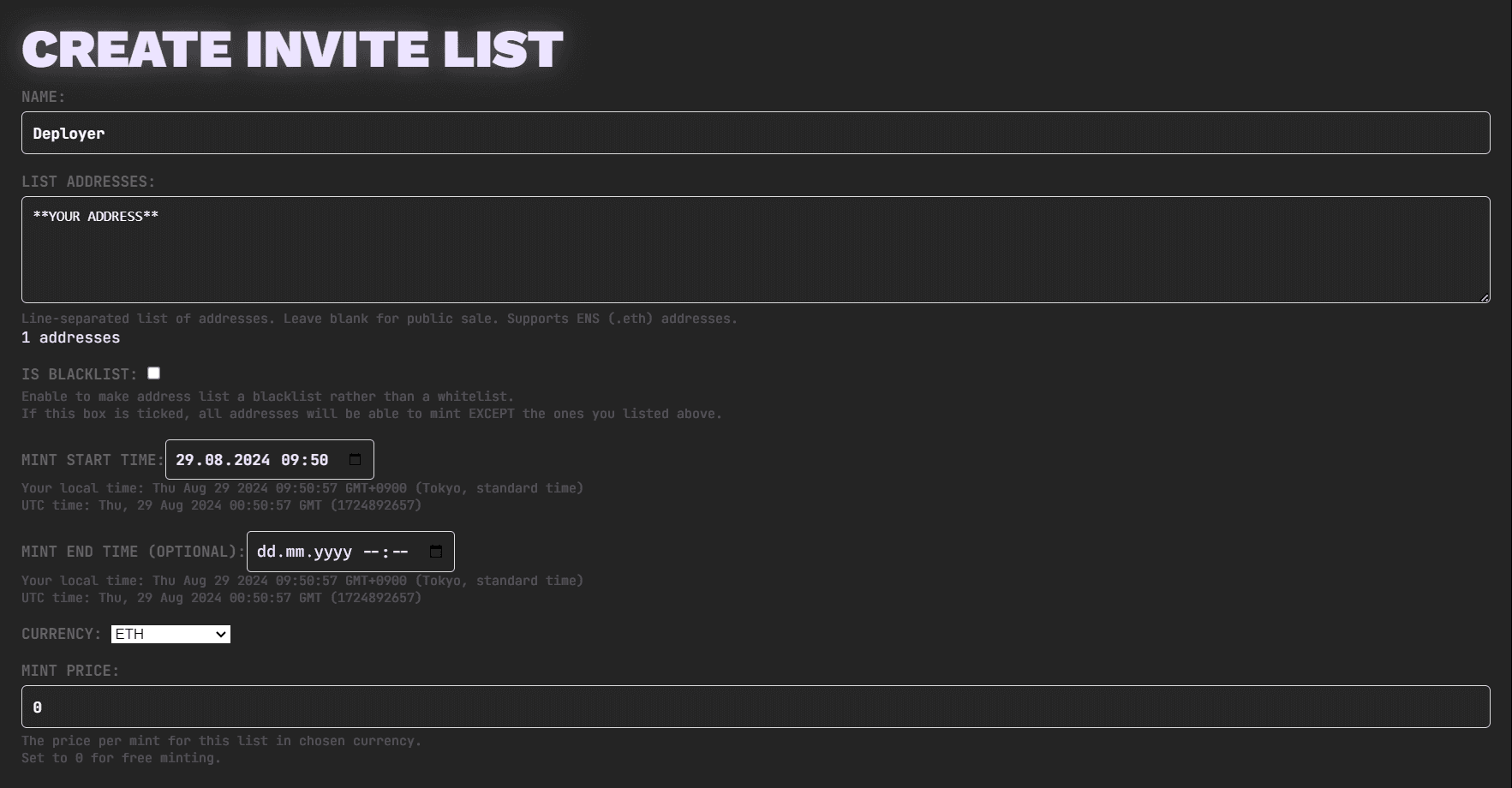
Once you create this list on chain, you'll be able to use this list on the minting tab to mint into your wallet within the collection's remaining supply, list allowances, and maximum batch size.
Airdropping
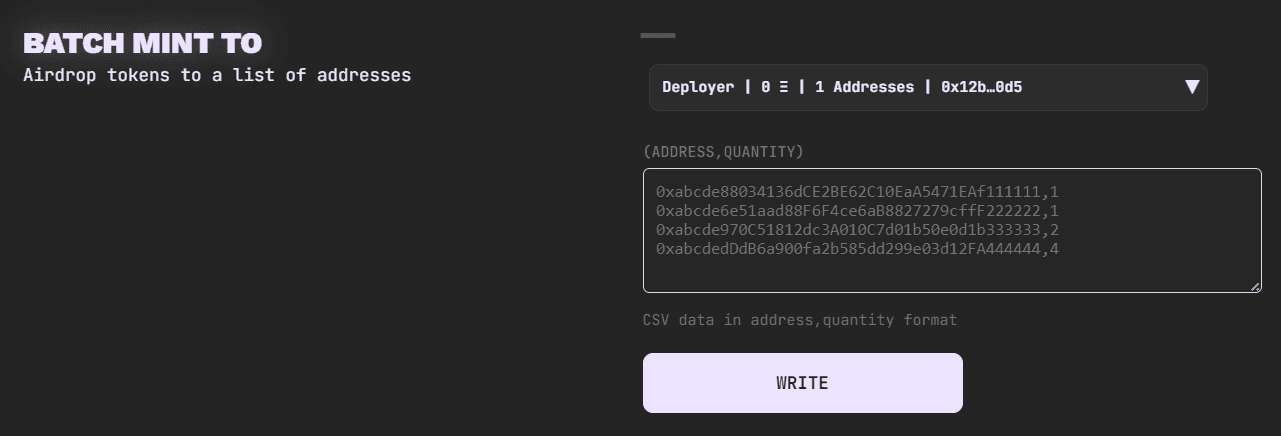
With your "Deployer" list created, open Contract → Batch Mint To:
- Select an active list from the Mint List dropdown. The owner must be eligible to mint from it; a private zero-price list containing the owner's address is a straightforward setup.
- Make sure the wallet limit and list limit cover the number of NFTs you intend to airdrop, and that enough collection supply remains.
- Enter recipients under Custom List, using one
address,quantityCSV row per recipient. For example,<recipient-address>,2assigns two NFTs to that address; replace the placeholder with the full recipient address. - Review all addresses, quantities, allowances, and the total, then complete the wallet transaction requested by the form.
If the dropdown shows No eligible mint lists, check the owner's address, the list's schedule, and its limits, or create an owner-eligible list before continuing. Follow Mint Lists for creation and timing.
For the current ERC-1155 implementation, batchMintTo() rejects lists with
Unit Size greater than 1. Use a list with unit size 1 for that batch-mint
flow. Batch limits count total copies across recipients; see
Supply and Minting Limits.
Recipients can check NFTs in their User Profile. If an item is missing, verify the transaction result and check the wallet, network, and collection filters.
Check the maximum batch size. The Contract tab's Set Max Batch Size controls the maximum NFTs minted in a single transaction and shows a default of 100. On ERC-721A contracts, setting it above 100 may increase gas costs for later transfers. Split larger allocations into transactions within the configured limit rather than raising it just to fit one large airdrop.