Contract Types
Scatter supports a variety of contract types which you can use to deploy your collections.
ERC-721
ERC-721 is arguably the most commonly utilized NFT standard. In an ERC-721 each NFT is a unique token. Profile Picture and Banner style projects, for example, are almost all ERC-721.
Some things to know about the ERC-721 standard
- Good for generative and hand made collections where you only want to sell 1/1s.
- Each NFT is a distinct token that only one wallet can hold.
- Each NFT can have unique traits / unique JSON files / unique rarity values.
- You need images / JSON files for as many NFTs as you want to mint.
- Most general PFP collections are this contract type.
- Milady, Redacted Remilio Babies, and Sprotogremlins are all examples of an ERC-721 collection.
Scatter's ERC-721 contracts use ERC-721A and Solady. They are optimized for minting in order and do not allow out of order minting.
This contract begins at the index of 1 and not 0.
Deploying and Managing an ERC-721 Collection
Follow Create and Launch an NFT Collection for the deployment steps, then Prepare Your Files.
The on-chain name and symbol cannot be changed after deployment. The display name on your Scatter profile is separate and can be edited.
After deployment, use the shared guides for Collection Profile & Branding, Uploading Content, Mint Lists, and Shills.
Contract Methods
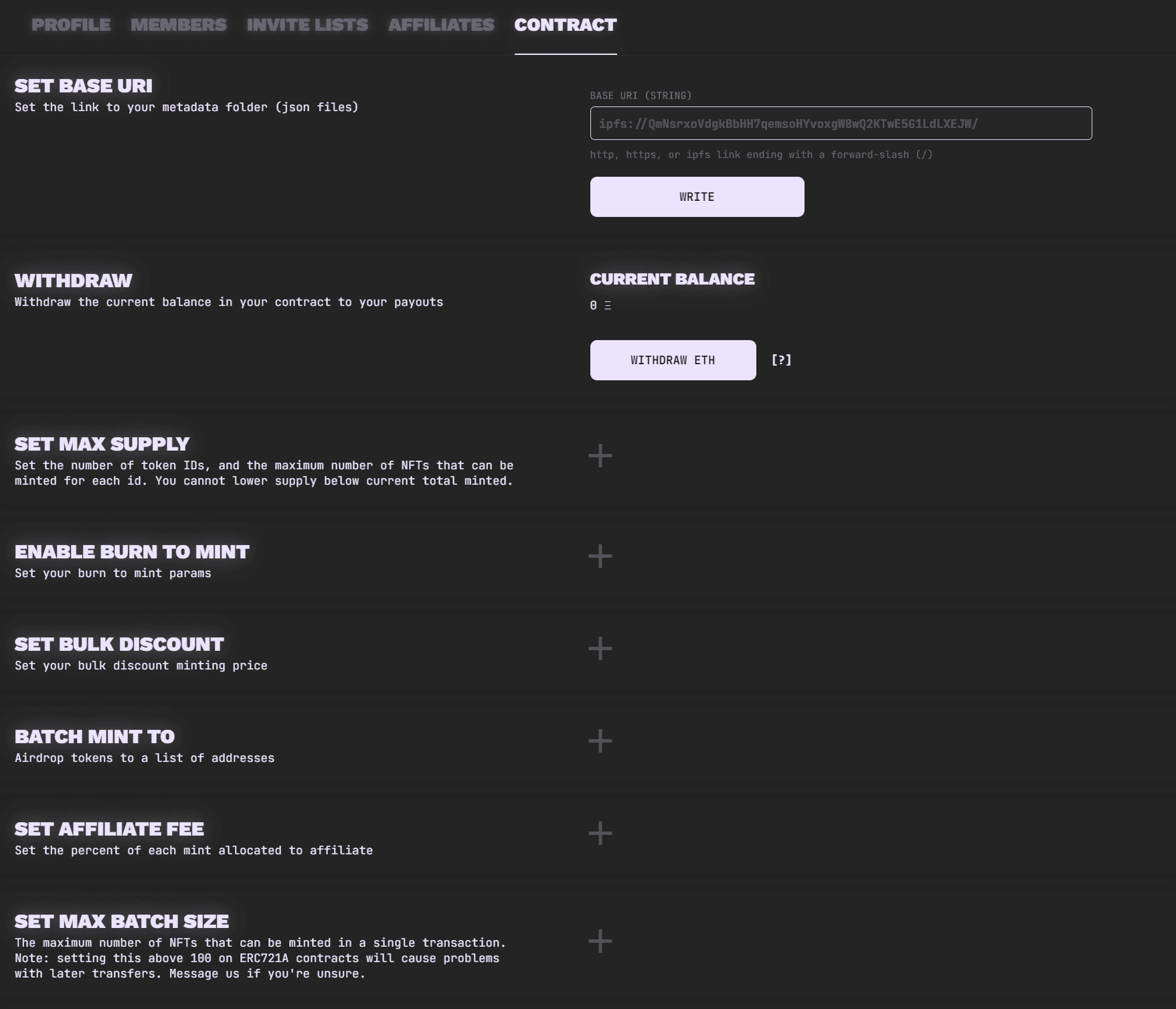
Open Contract in Collection Management for these ERC-721 controls. Review the value and select the relevant Write button, then confirm the wallet transaction and wait for it to complete before relying on the change.
- Set Base URI: Set the link to your metadata folder. The form accepts
http,https, oripfsaddresses ending in/. Collections using Scatter's uploader usually do not need to change their managed metadata address. Refresh Metadata requests a metadata refresh separately from writing a new URI. See Metadata Refresh. - Withdraw: Review Creator Mint Revenue, Payouts Balance, and the withdrawal control for the displayed currency, such as Withdraw ETH Payouts. Follow Payouts for withdrawals and recipient requirements.
- Set Max Supply: This allows you to increase/decrease the max supply of your collection. Can never be lowered below the current highest ID minted.
- Set Owner Alternative Payout Address: Set another address to receive the collection owner's payouts. That address must still call withdraw on the payouts contract to claim. See Alternative Owner Payout Address.
- Batch Mint To: Select an active mint list that the owner is eligible to
use, then supply recipients as
address,quantityCSV rows. The owner's wallet and list allowances must cover the intended airdrop. See Airdropping. - Set Max Batch Size: The maximum NFTs minted in one transaction. The displayed default is 100; setting it above 100 on ERC-721A contracts may increase gas costs for later transfers.
- Transfer Ownership: Assign contract ownership to a new address. Read Transfer Ownership before submitting this change.
Burn-to-mint and minting shill settings have dedicated Burn Lists and Shills tabs. Follow Burn to Mint and Minting Shills for their current controls.
Additional Contract Controls
The contract reference also includes:
- Set Bulk Discount: Used to set/edit bulk discount tiers. This enables minters to get a discount when minting bulk amounts of NFTs. You can set the amount of NFTs required along with the % off that is granted for that amount.
- Set Approval For All: Currently meant for use with Burn to Mint.
Transfer Ownership
Enter the new owner's full wallet address under Transfer Ownership. Check it carefully before selecting Write and confirming the transaction.
Treat this as irreversible. After transferring ownership, you lose owner access to the collection. You cannot reverse the transfer yourself once the new address controls the contract. Only proceed when you intend to hand over that control.
The alternative payout address controls where owner payouts are received; transferring ownership changes who controls the collection contract.
Burn to Mint
For exchange ratios, source-collection restrictions, and cyclical burning, see the Burn to Mint guide.
ERC-1155
ERC-1155 NFTs are a type of NFT that allows multiple owners to hold copies of the same token. This is different from the more common ERC-721 standard, where each token is unique and can only have one owner. ERC-1155 is perfect for things like open editions, digital trading cards, smaller art drops (where you want to sell multiple copies of the same pieces), or anything else where you plan to mint multiple copies of the same token.
When you launch an ERC-1155 collection on Scatter, you can choose how many copies of each token should be mintable, within the deployed contract's supply limits. You can also give a token a cap of 1 to include unique pieces within your collection. Users get to pick which token they mint.
The core differences of a Scatter ERC-1155 compared to our standard ERC-721 contract are:
- Supports multiple mints of individual tokens
- Minters pick which token they want to mint
- You can set a different supply cap for each token
- You set up mint lists (also called invite lists) for each individual token,
which allows you to:
- Make certain tokens exclusively mintable by certain addresses
- Charge separate prices for different tokens
- Set different mint periods and mint limits for different tokens
Open Editions
Open edition sales let collectors mint copies during an open minting period. Some sales have an end time, while others remain open. Scatter's current ERC-1155 implementation still has a finite per-ID supply cap; an open minting period does not remove that contract limit.
Supply and Minting Limits
These limits describe the current Scatter ERC-1155 implementation. Older versions can differ; check the deployed contract and its configured settings.
| Setting | Current implementation |
|---|---|
| Copies per token ID | Up to 4,294,967,295 (uint32), subject to the cap configured for that ID. |
| Distinct token IDs | No explicit fixed count cap; the supply array and gas costs limit practical use. |
| Total collection supply | The sum of the configured per-ID caps, with no separate collection-wide cap. |
| Copies per mint call | The configured Max Batch Size, whose maximum setting is 65,535 (uint16). Lower batch, wallet, list, and per-ID supply limits still apply. |
The batch size counts copies, not distinct token IDs or recipients. Its maximum setting is not a promise that a transaction of that size will fit the network's gas limits. These are minting limits, separate from the marketplace sweep limit.
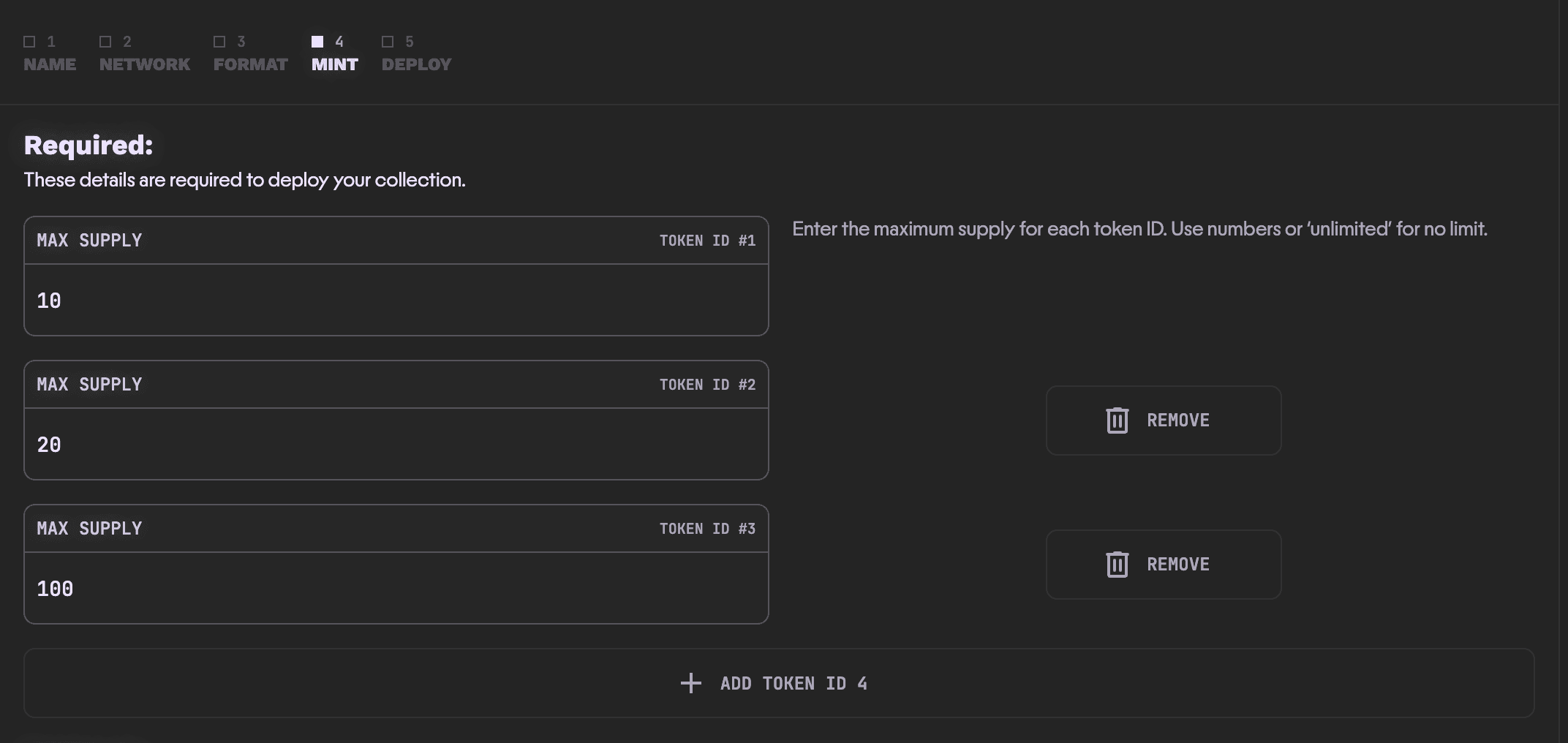
Token IDs are sequential and start at 1. The supply array
[1000, 500, 10000] configures IDs 1, 2, and 3 with those respective caps. An
ID needs a corresponding array entry; accepting a uint256 tokenId argument
does not make arbitrary IDs mintable. An explicit mint-list token-ID restriction
must also permit the ID; an empty token-ID restriction permits any configured
ID.
Very large catalogs can make administration and batch minting impractical:
updating supply validates existing IDs, totalSupply() scans the configured
IDs, and multi-entry batchMintTo() uses an array covering those IDs. There is
no single reliable maximum catalog size to recommend.
Networks
Currently Scatter supports ERC-1155 contracts on:
- Ethereum
- Polygon
- Monad
- MegaETH
- Robinhood
- Base
- Apechain
Testnets:
- Ethereum Sepolia
Getting Started
To deploy an ERC-1155 NFT collection, ensure you understand the following key requirements and steps for preparing your collection data:
Prepare Your Content and Metadata
- For most collections, use the Scatter Uploader.
- Follow Prepare Your Files for media, numbering, and metadata requirements.
- Only use IPFS if you have a specific need. See the IPFS Self-hosting docs.
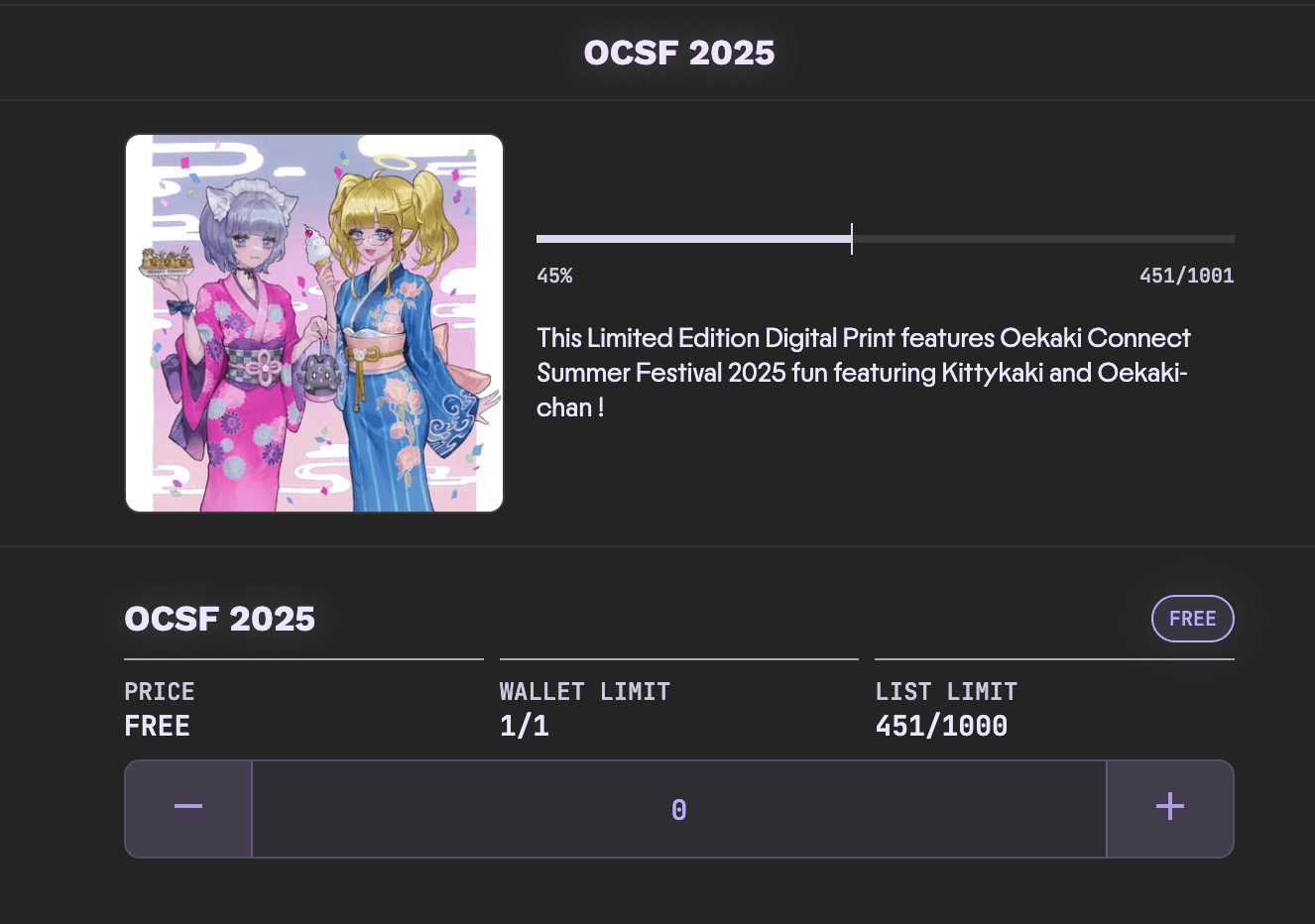
- IMPORTANT: The metadata/images for tokens displayed here are fetched using the Base URI set on your contract. If your Base URI is not set or your media/metadata is unavailable, the tokens will not be displayed.
Configure Token Supply for ERC-1155
-
Unlike a standard ERC-721 collection, an ERC-1155 NFT collection allows multiple mints of the same token.
-
Define the number of tokens and their maximum supplies during setup. For example, if you configure supplies for three tokens, your collection will include token IDs 1, 2, and 3.
-
Upload metadata for each token (e.g., 1, 2, 3) to ensure they display correctly on the mint page.
Editing Token Supply
- While supply is unlocked, use Set Max Supply to update the supply array or
add IDs. Keep entries for existing IDs; the current implementation does not
support shortening the array. A cap cannot be lowered below the number already
minted for that ID. An unminted ID can have a cap of
0. - To add a fourth token with a cap of 400, append its supply entry and upload the media and metadata for token ID 4.
- Calling
lockMaxSupply("forever")permanently prevents further supply changes. Check the deployed contract's lock status before planning changes.
Additional Information Before Launching
Follow the shared launch sequence in Getting Started. The preparation and mint-list guides link to tools at the relevant step; the full directory is Webtools and Scripts.
Mint Lists
-
You can create your mint lists as usual, but the difference lies in the Open Edition's ability to create specific mint lists for each token:
-
In the collection editor, open Mint Lists and select New List. For ERC-1155, select the token ID the list should apply to, then complete the shared mint-list settings. The list applies only to the selected token ID.